Running a Tournament
Everything you need to set up and run a smooth euchre tournament — from creation to crowning a winner.
What Is a Rotating Partner Tournament?
In a rotating partner tournament, you play with a different partner every round. Instead of sticking with one teammate, the app generates a schedule that pairs you with as many different players as possible across the event.
This format is the gold standard for social euchre events because:
- Everyone gets to play with (and against) everyone else
- Individual skill shines — no hiding behind a strong partner
- It's more social — you interact with the whole group, not just one person
- Standings are based on individual cumulative score, making the winner truly the best player of the night
Before You Start
Here's what you need to run a tournament:
- Players: You need at least 4 players (one table) and can host up to 32. Any player count works — if it's not a multiple of 4, the app uses a fair bye rotation so everyone sits out the same number of rounds.
- Cards: One euchre deck (24 cards) per table. If you have 12 players, you need 3 decks.
- Phones: Each player needs a smartphone or tablet with a web browser. No app download required.
- Space: One table per 4 players, with enough room for everyone to sit comfortably.
Step-by-Step Setup
Create the Tournament
Sign in to EuchreTourney and tap the + button on the home screen. You'll walk through a quick 3-step wizard:
- Name & details: Give your tournament a name (e.g., “Friday Night Euchre”), set the date and location.
- Format: Choose the number of rounds and hands per round. We recommend 5–8 rounds with 4–6 hands each. More rounds = fairer results, but longer event.
- Review & create: Confirm everything and tap Create. You'll use one tournament credit (your first 3 are free).
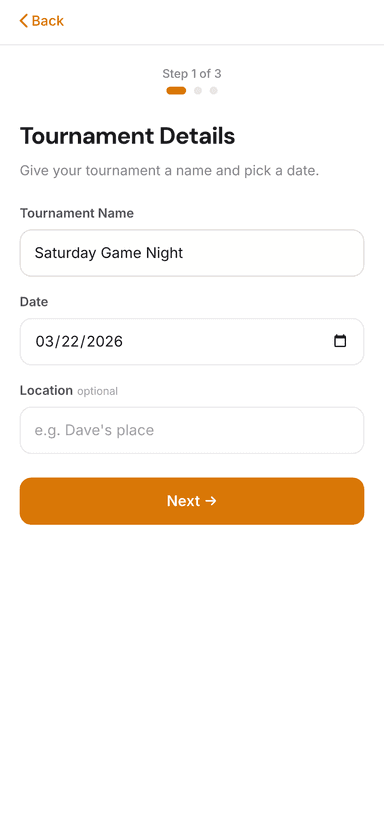
Name & details
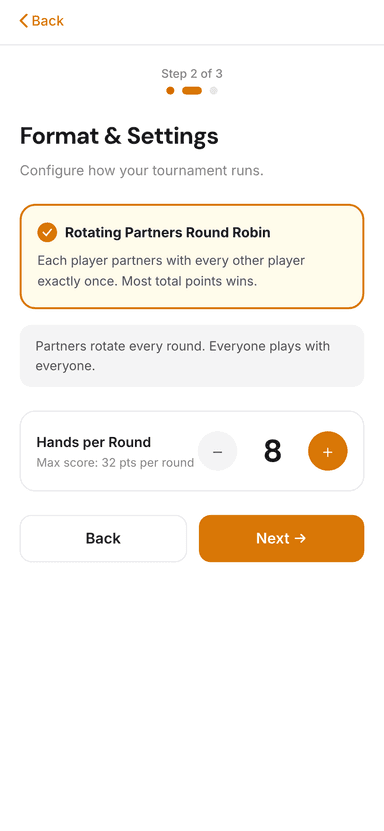
Format settings
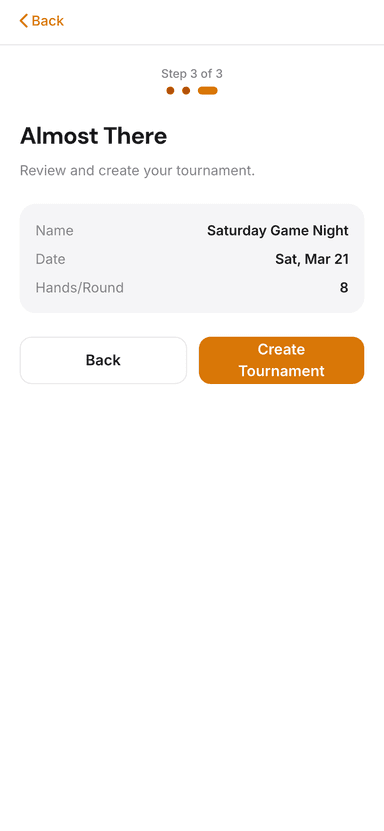
Review & create
Invite Players
Once created, you'll see your tournament's detail page with a 4-digit join code and QR code. Share them with your players:
- In person: Display the QR code on a screen or print it. Players scan it with their phone camera.
- By code: Tell players the code. They go to EuchreTourney and tap “Have a code?” to join.
- By invite: Use the invite feature to send email invitations to your contact list or groups you've set up.
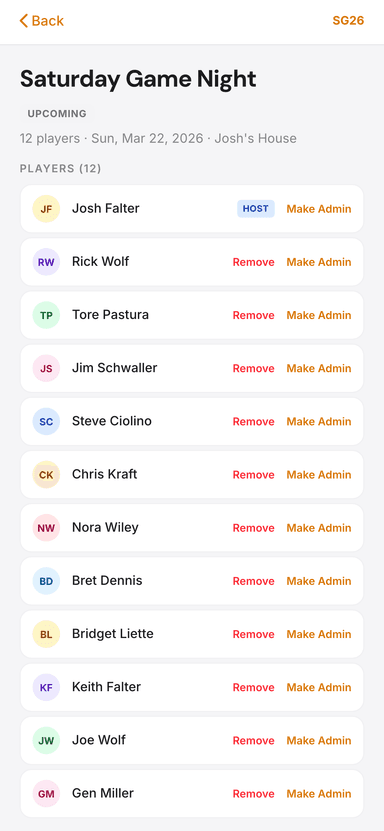
Join code & QR
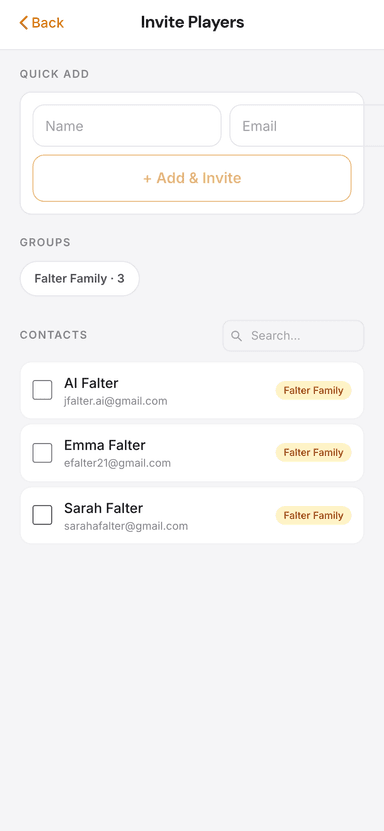
Invite players
Start the Tournament
Once all players have joined, tap Start Tournament. The app instantly generates the full schedule — every round, every table, every pairing. Players see their first-round assignment immediately.
Play & Score Each Round
After the hands are played, any player at the table can enter the score for their team. The round auto-advances once all tables have reported. Players then check their phone for their next table assignment.
View Standings & Results
Live standings update in real time after every score is entered. When the final round completes, the tournament is automatically marked as complete and the winner is crowned. Night winding down before the schedule is done? As the host, tap “End tournament early” on the round screen — every score entered still counts, and the current leader is crowned champion.
During the Tournament
What players see
Each round, players open EuchreTourney and see:
- Their table number and partner for the round
- Their opponents across the table
- A score entry section to submit results when done
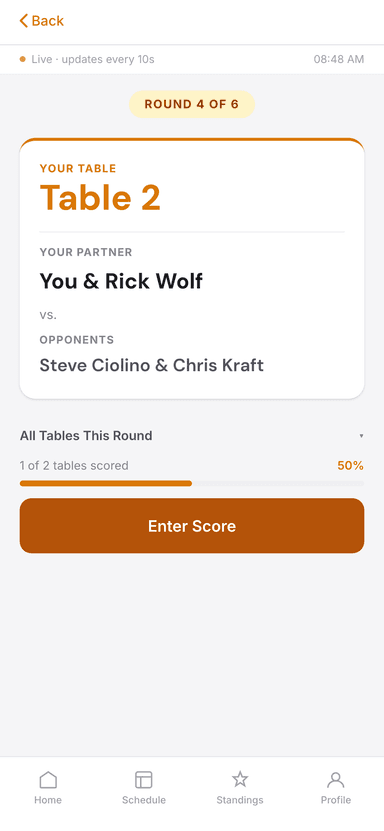
Table & partner
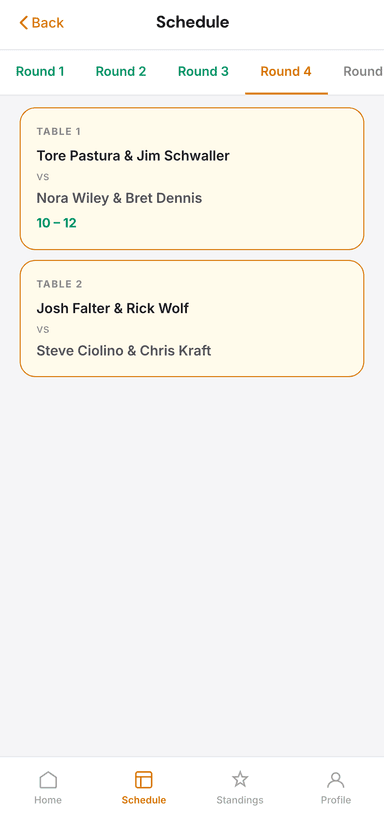
Round schedule
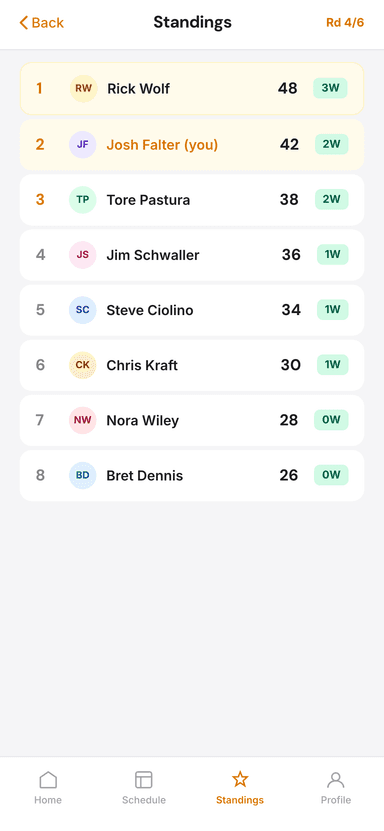
Live standings
What the host does
Honestly? Not much. Once the tournament is running, the app handles pairings, scoring, and advancement. As host, you can:
- Monitor standings from the Standings tab
- View the full schedule from the Schedule tab
- Help any players who need assistance joining or entering scores
Host Tips
- Label your tables. Numbered tent cards, sticky notes, or printed signs help players find their seats quickly between rounds.
- Start with fewer hands per round if it's your first event. You can always increase next time.
- Keep a couple of extra decks handy in case one goes missing or gets damaged.
- Announce round changes out loud even though the app shows them — not everyone checks their phone immediately.
- Any number of players works. Don't worry about having exactly 8 or 12. If your count isn't a multiple of 4 (e.g., 10 players), the app automatically creates a fair bye rotation — everyone sits out the same number of rounds and gets 0 points for byes, keeping the standings fair.
- Have fun! The best tournaments are the ones where the host is relaxed and enjoying the game too.